
Black it out.
Ship it out.
Redact PII from documents, audio, and video — entirely on your own machine. No file ever uploaded, no cloud round-trip. Power PRR processes every file locally and never sends it anywhere.
Redact anything you can show or say
Each tool runs the same detection engine offline — automatic where it can be, always reviewable before you finalize.

Power Document
PDF, Word (.docx), image, and plain text files. Scanned pages run through offline OCR automatically.
- Automatic detection across 12+ PII categories
- Manual terms and hand-drawn redaction boxes
- Flattened output — no text layer left behind

Power Audio
Mute, pitch-shift, or beep over segments of a call recording or interview.
- Offline transcription shows you what's said
- Add a redaction straight from the transcript line
- Fully re-encoded — nothing underneath is recoverable

Power Video
Track and blur faces frame-by-frame, black out a region, and redact the audio track — all in one export.
- Automatic face tracking from a single box
- Manual black-box for plates, screens, documents
- Same Mute/Voice/Beep audio tools built in
Open a file. Review the boxes. Ship it.
Pick a tool, load a file
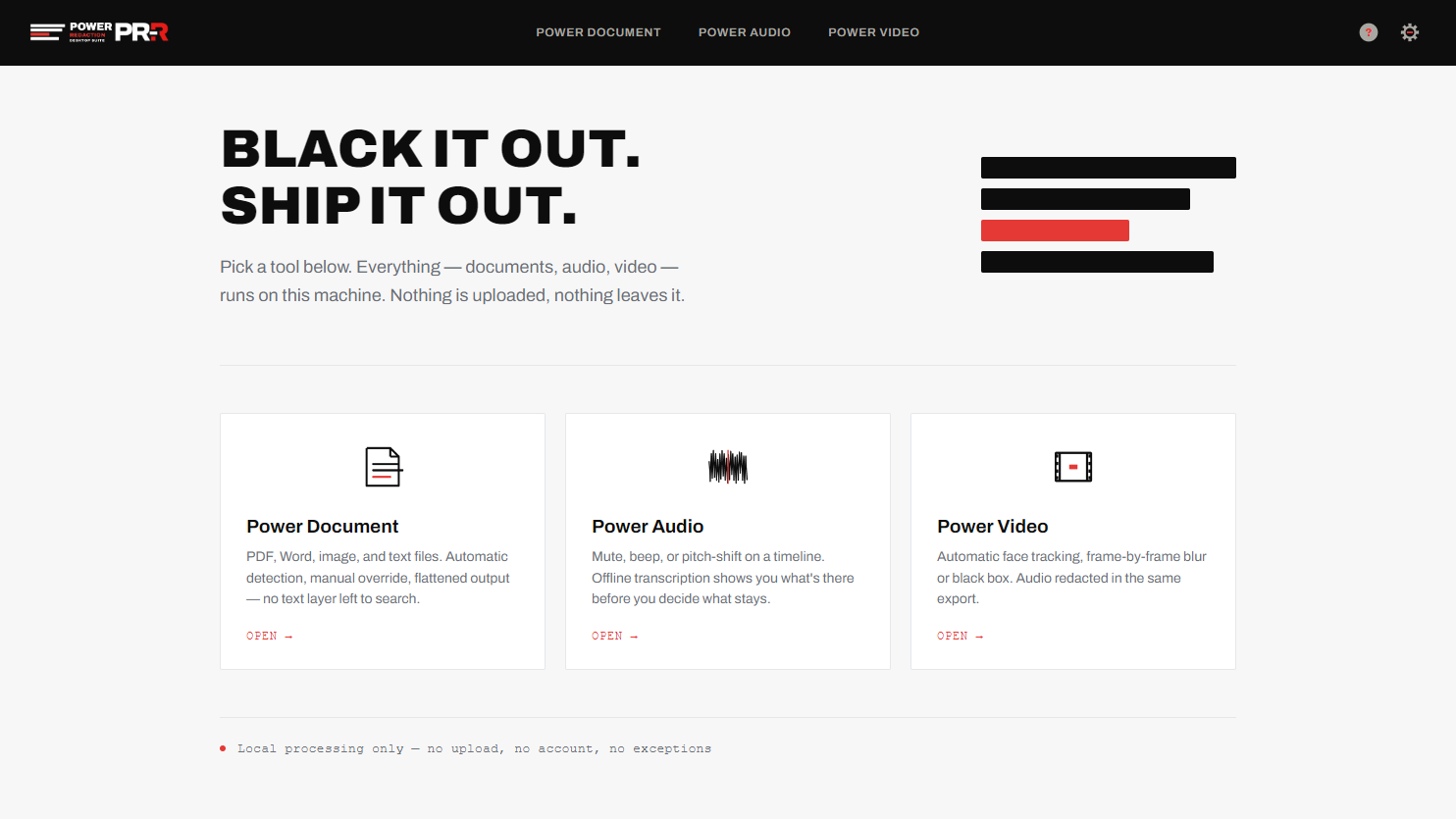
One home screen for all three tools. Everything happens in this window — no sign-in, no upload step, no waiting on a server.
Power Document, Power Audio, and Power Video each open straight into the editor for that file type.
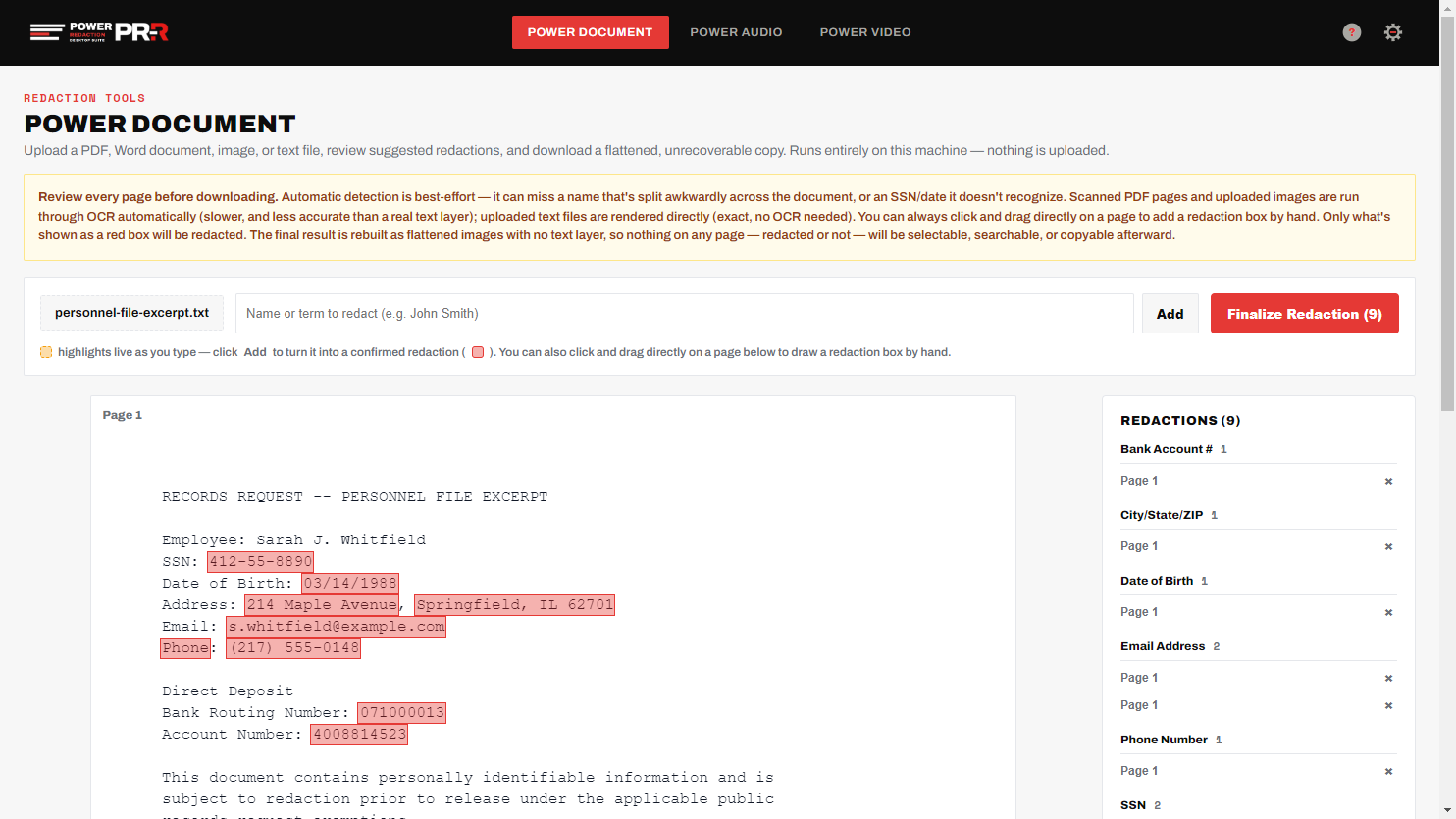
Automatic detection, your final say
SSNs, addresses, emails, phone numbers, driver's licenses, bank and card numbers, and more get flagged automatically. Nothing finalizes until you've reviewed every page.
Add your own terms, draw a box by hand, or turn off a category you don't need in Settings.
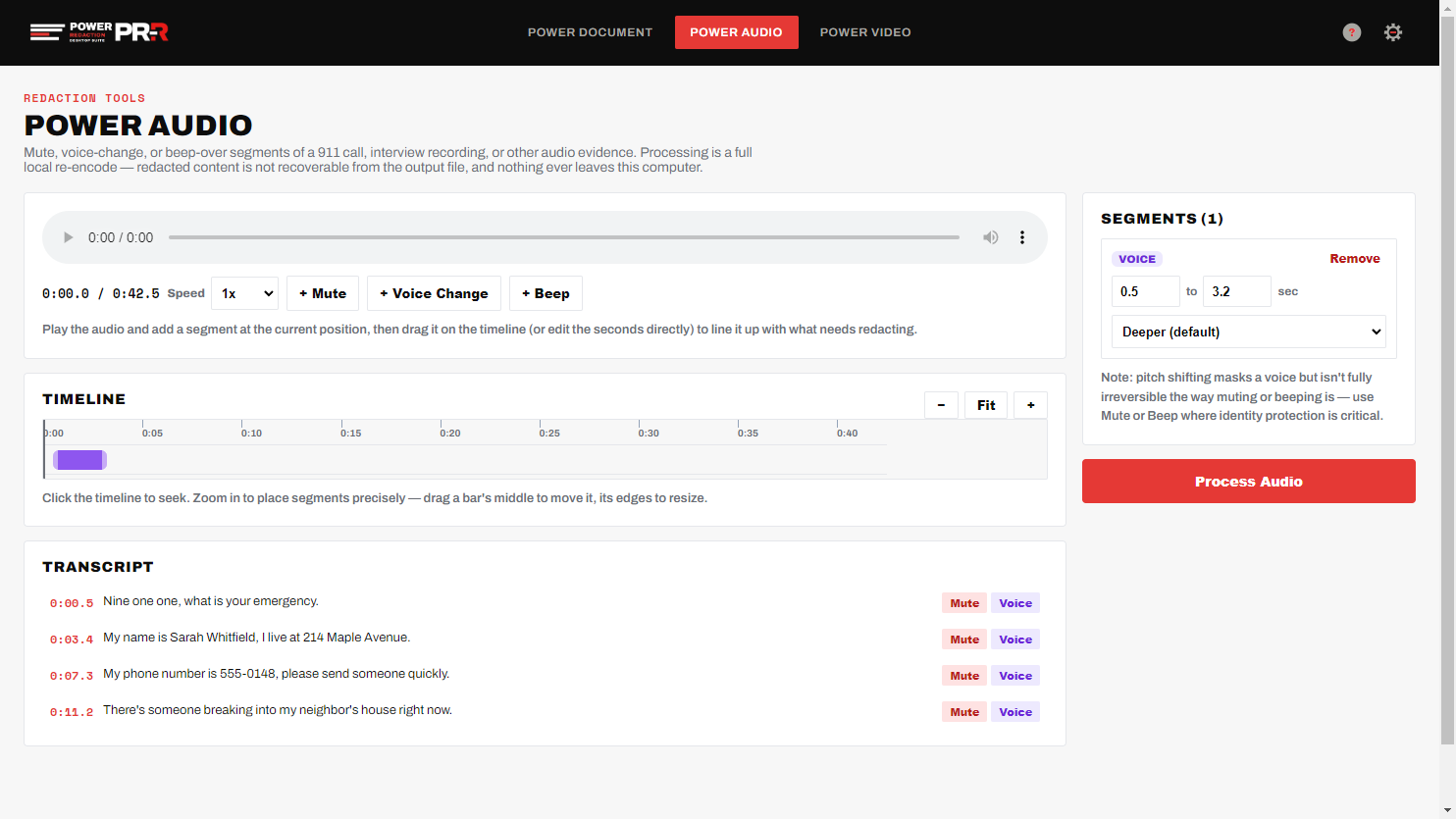
Hear it before you redact it
Power Audio transcribes offline as soon as a file loads, so you can read along and drop a Mute, Voice, or Beep segment right from the line that needs it.
Same page. Before and after.
This is an unedited page from a real U.S. passport application form, run through Power Document with zero manual clicks — automatic detection found the mailing address, city/state/ZIP, and phone number, and Finalize flattened them to solid black boxes. Click either image to see it full-size.
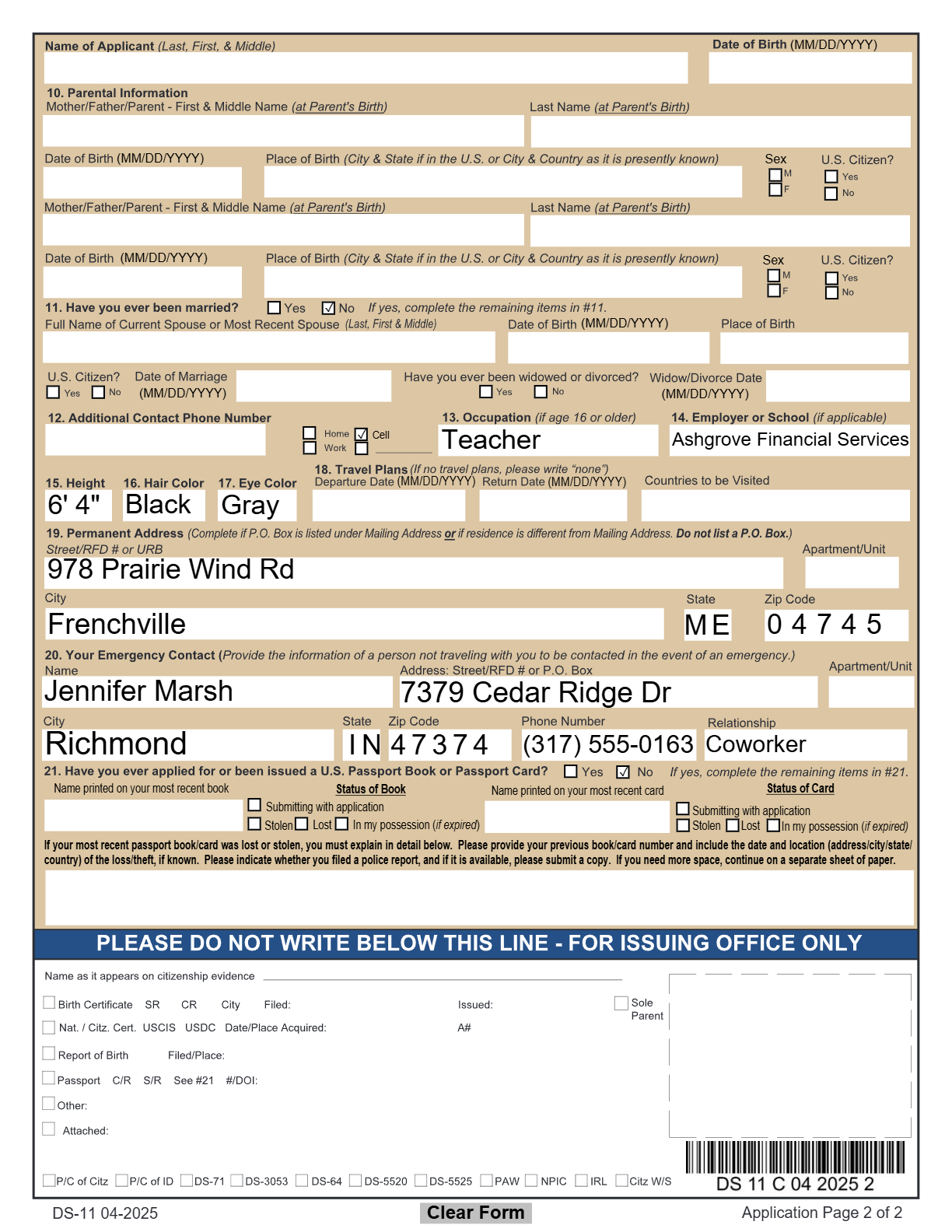
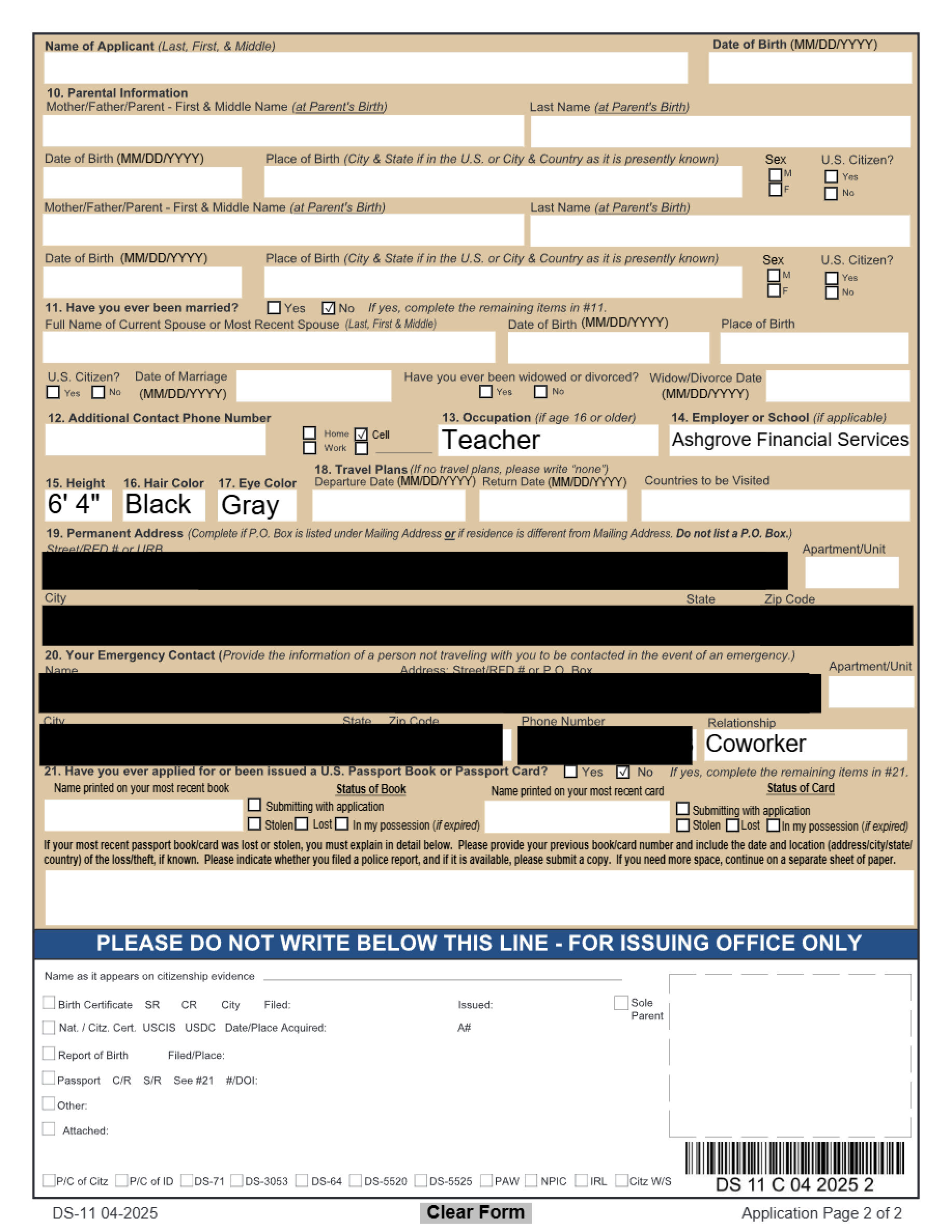
Sample document — synthetic test data for demonstration, not a real applicant.
Face tracking and blur, start to finish.
One continuous screen recording of Power Video — load the file, draw a box around the face, let the tracker follow it, review the coverage, and export. Waiting is sped up and the real times are shown on screen. No sound.
Sample footage by Martina Tomšič from Pexels, used under the Pexels License.
One license. All four tools.
A single annual subscription covers Power Document, Power Audio, Power Video, and Power Radio — on the machine it's activated on.
- Power Document, Power Audio, Power Video & Power Radio
- Unlimited local redaction — no per-file limits
- Offline OCR, transcription, and face tracking
- Free updates for the license term
- Five or more workstations
- Volume pricing
- Purchase orders and invoicing
- W-9 and vendor forms on request
Questions
Does anything ever leave my computer?
No. Detection, OCR, transcription, and face tracking all run locally using models bundled with the app. Files are never uploaded anywhere — only license validation reaches the internet.
Is redaction actually permanent?
Yes. Finalizing rebuilds the output — a flattened PDF, a re-encoded audio file, or a re-encoded video — with no text layer or original data underneath the redacted areas.
What platforms are supported?
Windows 10 and 11 (64-bit) today. macOS and Linux are on the roadmap but not yet available.
What happens if I go offline?
The app continues to work offline between periodic license checks — you don't need to be connected to redact a file.